ClaudeGeminiGPTGLMOllama local · offline+ 100 more via LiteLLM
Three steps to your agent.
No cloud account, no subscription, no black box. You bring the model; agentkai brings everything else.
01
Connect a model
Set one API key, or none. Aliases claude, gemini, gpt, glm, and local resolve through a single LiteLLM layer, with fallbacks when a provider hiccups.
02
Give it tools & memory
A permission-gated shell, a real Chromium browser, an MCP client, 12 bundled skills, and subagents, backed by memory kept as plain markdown files you can read, edit, and version with git.
03
Talk from anywhere
Terminal, the local web dashboard, or your phone: the messaging gateway bridges Telegram, Discord, and WebChat to the same agent, with the same memory and tools.
Features
Built like you'd build it.
Local-first, honest about limits, and every moving part is inspectable. No black boxes, no rented brain.
Your models, your keys
agentkai ships no model of its own. It never could lock you in. Switch per run, per scheduled job, or per chat channel. Keys are yours, never printed, never logged.
claude anthropic/claude-sonnet-4-5 key setgemini gemini/gemini-2.5-flash key setlocal ollama/qwen3:32b offline, no key
Permission-gated tools
Every tool call passes a risk-based allow / ask / deny gate, and gets audited. Sending email, posting, or charging money always asks first.
A real browser
A real Chromium the agent can drive: pages render, scripts run, forms work. Not a text scrape pretending to be a browser.
Memory you can read
Plain markdown in ~/.agentkai/memory/: no vector-store black box. Read it, edit it, commit it to git. Nightly "dreaming" folds the day into durable facts.
Cron jobs, one-shot timers, and a heartbeat check-in, stored in SQLite so they survive restarts. Unattended jobs can never run high-risk tools. They are denied, not asked.
Talk from anywhere
One agent behind every surface: terminal, local dashboard, Telegram, Discord, and built-in WebChat, plus an experimental WhatsApp bridge. Owner approvals (APPROVE / DENY) work from whichever chat you're in.
TelegramDiscordWebChatWhatsApp experimental
Subagents & MCP
Fan work out to subagents, and plug in any MCP server (stdio or SSE). New tools join the same permission gate as the built-ins.
Voice & media
Speech-to-text with faster-whisper (offline) or OpenAI, text-to-speech, and image generation via OpenAI or a local Stable Diffusion server. Nothing configured? You get an honest error, never a fake.
Models
Bring a key. Or don't.
Hosted models take one environment variable each. The local alias needs nothing at all: install Ollama, pull a model, and agentkai runs with no key, no network, no cost.
agentkai models shows each alias and whether its key is set, never the key itself
Fallback chains ride through a flaky provider instead of failing the run
100+ models through one LiteLLM layer
terminal
# bring your own key
export ANTHROPIC_API_KEY=sk-ant-…
agentkai models
claude → anthropic/claude-sonnet-4-5 ✓ key setgemini → gemini/gemini-2.5-flash ✓ key setlocal → ollama/qwen3:32b ✓ local# or skip keys entirelyagentkai run "summarize this folder" --model local
Memory
It actually remembers, in plain text
Memory is markdown on your disk: durable facts, a persona file, daily logs, and pages for the people in your life. Keyword search, no embeddings service, nothing you can't open in a text editor.
SOUL.md + USER.md: who the agent is, who you are
Daily logs and long-term MEMORY.md, consolidated nightly
Back it up, diff it, or delete it. It's just files.
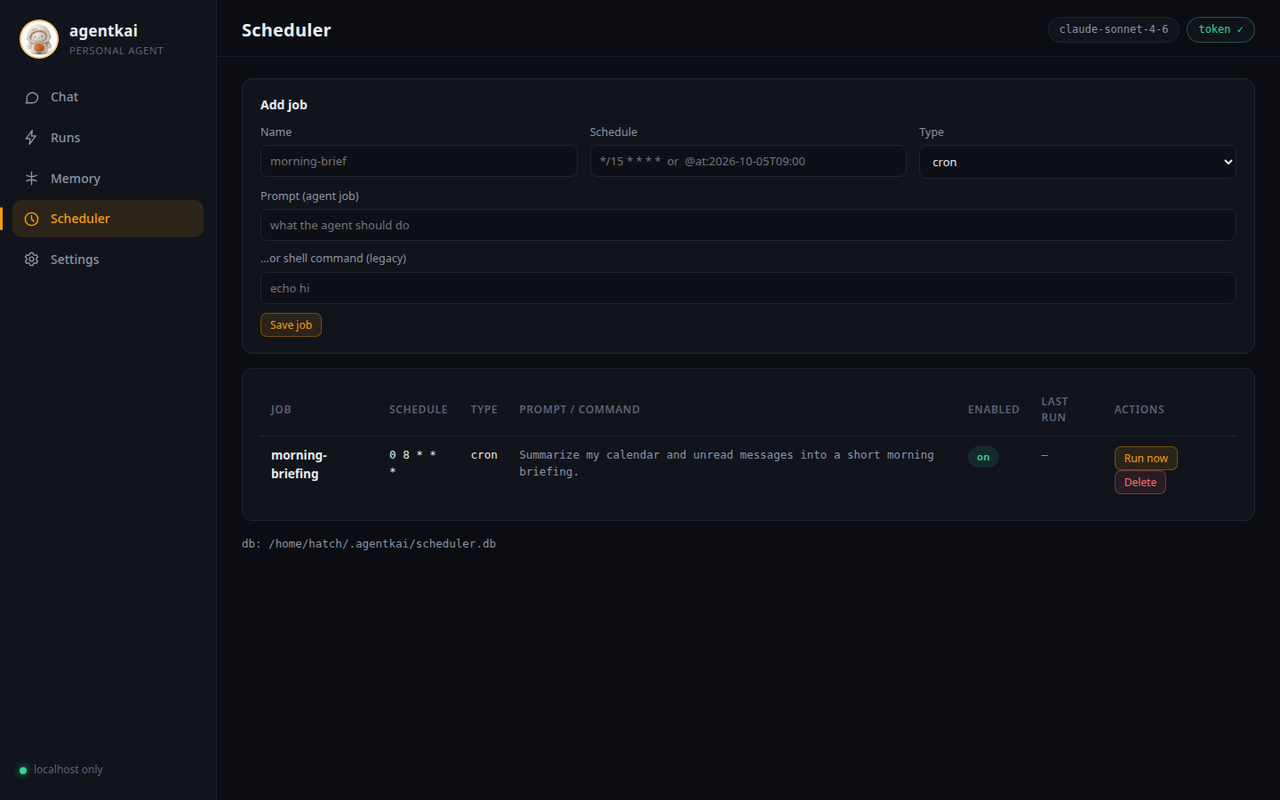
Recurring cron jobs, one-shot reminders, and a heartbeat that checks in on its own. Jobs live in SQLite, are managed from the CLI or the dashboard, and run under the same permission rules, with high-risk tools denied outright while you're away.
scheduler add / list / run-once / remove
Every run is logged. Replay it later with agentkai runs show
agentkai doctor verifies the whole setup in one command
scheduler
# every weekday at 7:00agentkai scheduler add morning-brief \
--schedule "0 7 * * 1-5" \
--prompt "Summarize today's calendar and unread email."
# one-shotagentkai scheduler add dentist --at 2026-10-02T09:00 \
--prompt "Remind me to leave for the dentist."
$ agentkai scheduler listmorning-brief cron 0 7 * * 1-5 next: tomorrow 07:00dentist at 2026-10-02T09:00
Prefer a UI? It's already on your machine.
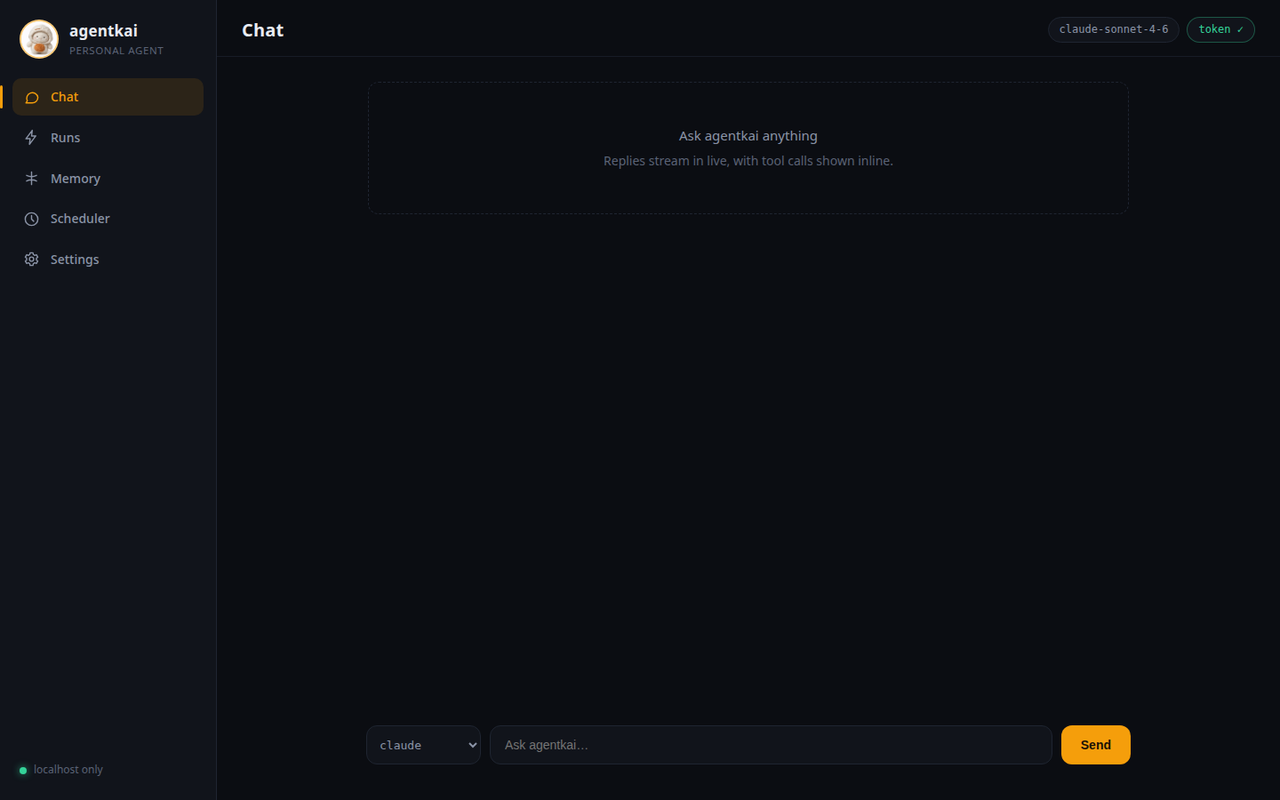
agentkai dashboard launches a local web app: chat with streaming tool calls, browse and edit memory, inspect every past run, and manage scheduled jobs. Same agent, same tools underneath.
Scheduler. Create jobs, run them now, inspect history. Chat, memory editing, and run timelines live in the same local app.
Localhost only. Binds 127.0.0.1: never exposed to your network.
Fresh token every launch. No password to remember or leak.
Zero third-party resources. The whole UI ships with agentkai and works fully offline.
One command, everything.
Twelve commands cover the whole agent. These examples are real. Install agentkai and try them.
terminal
# run one agent task, streamingagentkai run "list the files in my home directory and summarize what this machine is for"
# → the answer streams as the model thinks; medium/high-risk tools ask first# pass -y to auto-approve, only when you trust the task
agentkai runRun one agent task with live streaming output
agentkai chatSend one prompt, print the final answer
agentkai modelsShow model aliases and what they resolve to
Skills are reusable playbooks, a SKILL.md plus optional tools, that teach the agent a job once. Write your own the same way and drop them in.
github
Repos, issues, pull requests, and Actions workflow runs.
gmail
Search, read, draft, and send email through your account.
google_calendar
Read your agenda; create, update, and delete events.
health
Steps, sleep, and workout trends from exported HealthKit / Health Connect files.
image_search
Find images by keyword, with source pages and license info.
media
Generate and edit images via OpenAI or a local Stable Diffusion server.
payments
Stripe payment intents. High-risk, so every charge needs your explicit approval.
places
Restaurants, shops, hours, and contact details via OpenStreetMap.
shopping
Product search with images and links; groceries built in via OpenFoodFacts.
spotify
Search Spotify, see what's playing, control playback.
travel
Live flight tracking (OpenSky, no key) plus booking providers you plug in.
voice
Transcribe voice notes and recordings; speak text aloud.
Skills that talk to a service use your account and key for it. Nothing is shared. Every skill install is integrity-checked: agentkai skills install records a content hash that's verified before the skill's code ever runs. How skills work
An agent with brakes.
Powerful tools are only useful if you can trust them unattended. agentkai gates every action by risk, audits what happened, and keeps your keys and data on your machine.
Low-risk reads and lookups run freely: listing files, searching memory, checking the calendar.
ask
Medium and high risk stops and asks: shell commands, sending email, posting, charging money.
deny
Blocklisted paths and high-risk tools in unattended jobs are refused outright, with no prompt to sleep through.
FAQ
Fair questions.
No. Install Ollama, pull a model (ollama pull qwen3:32b), and run with --model local. No key, no network, no cost. Hosted models (Claude, Gemini, GPT, GLM) use your own key, set as an environment variable.
Nowhere by default. The agent, memory, scheduler, and dashboard all live in ~/.agentkai/ on your computer. No account, no telemetry, no analytics. The only things that leave are what you choose: prompts to your hosted model provider, and API calls for skills you configured. With a local model, nothing leaves the box.
Aliases claude, gemini, gpt, and glm cover the major providers, local covers Ollama, and anything LiteLLM speaks (100+ models) can be wired in. Aliases can differ per run, per scheduled job, or per chat channel, with fallbacks.
agentkai is free and open source (Apache-2.0). If you pick a hosted model, you pay that provider directly at their rates. agentkai adds no markup and holds no keys of its own. Local models cost nothing but electricity.
Yes. The messaging gateway connects Telegram, Discord, and a built-in WebChat to the same agent, and a WhatsApp bridge is available as an experimental option. The web dashboard itself stays localhost-only by design; for phone access, pair a device or use a chat channel.
Python 3.10 or newer and pip: pip install agentkai. Run agentkai doctor afterwards. It checks your config, provider keys, scheduler database, memory, tools, and dashboard assets, and tells you exactly what's missing.
Honest scope: agentkai is early-stage software, developed in the open. Core flows (agent runs, tools, memory, scheduler, dashboard, channels) are implemented and tested. Areas marked experimental in the docs (like the WhatsApp bridge) are real code with real limits; they're labeled, not hidden.
Your agent is waiting.
One install. Your model, your machine, your rules.